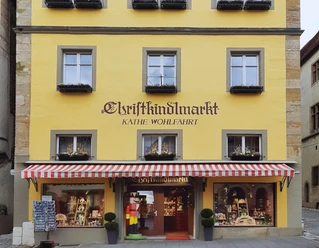
d.one Test- dev POI Landsberg mit webcam
![[INTERNET:MULTIMEDIA-LINKS:Webcam (Titel)] Deutsch[INTERNET:MULTIMEDIA-LINKS:Webcam (Title)] english[INTERNET:LIENS MULTIMÉDIA:Webcam (titre)] Français[INTERNET:MULTIMEDIA-LINKS:Webcam (Titel)] Duits](http://img.destination.one/remote/.webp?url=https%3A%2F%2Finternet-multimedia-links-webcamurl-dt.destination.one%2F&scale=both&mode=crop&quality=90&width=2560&cacheduration=600 "[INTERNET:MULTIMEDIA-LINKS:Webcam (Titel)] Deutsch[INTERNET:MULTIMEDIA-LINKS:Webcam (Title)] english[INTERNET:LIENS MULTIMÉDIA:Webcam (titre)] Français[INTERNET:MULTIMEDIA-LINKS:Webcam (Titel)] Duits")



[BEGIN]
fyi: For [BEGIN] the format Überschrift 1 has been selectedA formatted text can be entered here. Within a text, bolded texts can be inserted, also a text passage can be italic or underlined displayed. If a text is to be particularly emphasised, it can be bolded and italicised or even bolded and italicised and underlinedFor better readability, links can be hidden behind a text.
Individual lines or sections can be indented and thus the text can be structured even further.
here are a few more indented lines of text.
This is the last indented line.
There are checklists....
fyi: For [There are checklists], the format Überschrift 2 was chosen- first entry in the checklist
- second entry in the checklist
- middle entry in the checklist
- fourth entry in the checklist with a total of five items
- last entry in the checklist
and enumerations
fyi: For [and bulleted lists], the format Überschrift 2 was chosen- first entry
- another slightly longer entry
- middle entry bolded and italicised for emphasis
- fourth entry
- last entry with rather long text, so the text may break. Does the presentation nevertheless remain neat?
[END]
Good to know
Openings
- [INFORMATIONEN:ÖFFNUNGSZEITEN:Öffnungs-/Betriebszeiten] English
[BEGIN]
This is a slightly longer description.
This is a wonderful way to check later in the frontend whether the display is also complete for longer texts and whether the layout is correct.
The structure of the description text is simple:
It starts with the data.destination.one field description
in square brackets.
The actual description text is then inserted between [BEGIN] and [END].
This makes it possible to see at first glance whether the text is complete.
[Start paragraph formatting with]
This paragraph starts on a new line and ends with an empty line.
]
[End paragraph formatting with
[Start paragraph formatting with >br>]
Here, the paragraph formatted in this way begins with a blank line and also ends with a blank line.
[End paragraph formatting with ]
[Start paragraph formatting with line break manual]
This paragraph begins on a new line. Three manual line breaks, i.e. empty lines, now follow here.
This sentence is then also on a new line.
[End paragraph formatting with manual line break]
Here we are already at the last sentence. After this sentence, no more than the end mentioned above may be displayed.
[END]Dayoff: Monday, Closed all holidays Price info
Price adult: €15.50
Price child: €2.50
Price reduced: €10.75
Price family: €35.00
Senioren: €12.50
[PREISE:ALLGEMEINE INFORMATIONEN:Allgemeine Preisinformationen] English
[BEGIN]
This is a slightly longer description.
This is a wonderful way to check later in the frontend whether the display is also complete for longer texts and whether the layout is correct.
The structure of the description text is simple:
It starts with the data.destination.one field description
in square brackets.
The actual description text is then inserted between [BEGIN] and [END].
This makes it possible to see at first glance whether the text is complete.
[Start paragraph formatting with]
This paragraph starts on a new line and ends with an empty line.
]
[End paragraph formatting with
[Start paragraph formatting with >br>]
Here, the paragraph formatted in this way begins with a blank line and also ends with a blank line.
[End paragraph formatting with ]
[Start paragraph formatting with line break manual]
This paragraph begins on a new line. Three manual line breaks, i.e. empty lines, now follow here.
This sentence is then also on a new line.
[End paragraph formatting with manual line break]
Here we are already at the last sentence. After this sentence, no more than the end mentioned above may be displayed.
[END]Information on reduced prices: [PREISE:ALLGEMEINE INFORMATIONEN:Preis ermäßigt gilt für] English [BEGIN] This is a slightly longer description. This is a wonderful way to check later in the frontend whether the display is also complete for longer texts and whether the layout is correct. The structure of the description text is simple: It starts with the data.destination.one field description in square brackets. The actual description text is then inserted between [BEGIN] and [END]. This makes it possible to see at first glance whether the text is complete. [Start paragraph formatting with]
This paragraph starts on a new line and ends with an empty line. [End paragraph formatting with
] [Start paragraph formatting with >br>]
Here, the paragraph formatted in this way begins with a blank line and also ends with a blank line. [End paragraph formatting with ] [Start paragraph formatting with line break manual] This paragraph begins on a new line. Three manual line breaks, i.e. empty lines, now follow here. This sentence is then also on a new line. [End paragraph formatting with manual line break] Here we are already at the last sentence. After this sentence, no more than the end mentioned above may be displayed. [END]General information
Parking Available
Bus stop available
Eligibility
Target Group the Elderly
for individual guests
Pet allowed
for Children of the age of 10 upwards
Foreign Language
- German, English, French, Dutch
Other Furnishing/Equipment
Toilet
Handicapped accessible WC
Barrier-free access
Payment methods
- American Express, ApplePay, Cash, Debit Card, contactless payment, PayPal
Accessibility
- Travel for Everyone[BARRIEREFREIHEIT:INFORMATIONSTEXT ZUR BARRIEREFREIHEIT:Informationstext zur Barrierefreiheit der Kennzeichnung Reisen für Alle] English
[BEGIN]
fyi: For [BEGIN] the format Überschrift 1 has been chosen
A formatted text can be entered here. Within a text, bolded text can be inserted, also a text passage can be displayed italic or underlined . If a text is to be particularly emphasised, it can be bolded and italicised or even bolded and italicised and underlined For better readability, links can be hidden behind a text.Individual lines or sections can be indented and thus the text can be structured even further.
To make this easier to see,
here are a few more indented lines of text.
This is the last indented line.Numerations and checklists further structure the text.There are checklists....
fyi: For [There are checklists] the format Überschrift 2 was chosen- first entry in the checklist
- second entry in the checklist
- middle entry in the checklist
- fourth entry in the checklist with a total of five items
- last entry in the checklist
and enumerations
fyi: For [and bulleted lists], the format Überschrift 2 was chosen- first entry
- another slightly longer entry
- middle entry bolded and italicised for emphasis
- fourth entry
- last entry with rather long text, so the text may break. Does the presentation nevertheless remain neat?
[END]
.General Information on Accessibility[BARRIEREFREIHEIT:INFORMATIONSTEXT ZUR BARRIEREFREIHEIT:Informationstext zur Barrierefreiheit allgemein] English[BEGIN]
fyi: For [BEGIN] the format Überschrift 1 has been chosen
A formatted text can be entered here. Within a text, bolded text can be inserted, also a text passage can be displayed italic or underlined . If a text is to be particularly emphasised, it can be bolded and italicised or even bolded and italicised and underlined For better readability, links can be hidden behind a text.Individual lines or sections can be indented and thus the text can be structured even further.
To make this easier to see,
here are a few more indented lines of text.
This is the last indented line.Numerations and checklists further structure the text.There are checklists....
fyi: For [There are checklists] the format Überschrift 2 was chosen- first entry in the checklist
- second entry in the checklist
- middle entry in the checklist
- fourth entry in the checklist with a total of five items
- last entry in the checklist
and enumerations
fyi: For [and bulleted lists], the format Überschrift 2 was chosen- first entry
- another slightly longer entry
- middle entry bolded and italicised for emphasis
- fourth entry
- last entry with rather long text, so the text may break. Does the presentation nevertheless remain neat?
[END]
. Hygiene and infection safety measures
Notice signs
Adequate ventilation
Regular cleaning and disinfection of surfaces, door handles and handrails
Providing mouth-nose coverage
Provision of dispensers with disinfectants for hand disinfection
[HYGIENE- UNDINFEKTIONSSCHUTZMAßNAHMEN:HYGIENE- UND INFEKTIONSSCHUTZMAßNAHMEN:Informationen zu Maßnahmen] English[BEGIN]
fyi: For [BEGIN] the format Überschrift 1 was chosen
A formatted text can be entered here.
Within a text, bolded text can be inserted, also a text passage can be italicised or underlined displayed.
If a text is to be particularly emphasised, it can be bolded and italicised or even bolded and italicised and underlined displayed
For better readability, links can be hidden behind a text.Individual lines or sections can be indented to further structure the text.To make it easier to see, here are a few more indented lines of text.
This is the last indented line.
Bulleted lists and checklists further structure the text.There are checklists....
fyi: For [There are checklists] the format Überschrift 2 was chosen
- first entry in the checklist
- second entry in the checklist
- middle entry in the checklist
- fourth entry in the checklist with a total of five items
- last entry in the checklist
and enumerations
fyi: For [and enumerations], the Überschrift 2 format was chosen
- first entry
- another slightly longer entry
- middle entry bolded and italicised for emphasis
- fourth entry
- last entry with rather long text, so the text may break. Does the presentation nevertheless remain neat?
fyi: For [END], the format Überschrift 1 was chosen
[END]
Directions & Parking facilities
- [LAGE:ERREICHBARKEIT / ANREISE:BESCHREIBUNG] English
[BEGIN]
This is a slightly longer description.
This is a wonderful way to check later in the frontend whether the display is also complete for longer texts and whether the layout is correct.
The structure of the description text is simple:
It starts with the data.destination.one field description
in square brackets.
The actual description text is then inserted between [BEGIN] and [END].
This makes it possible to see at first glance whether the text is complete.
[Start paragraph formatting with]
This paragraph starts on a new line and ends with an empty line.
]
[End paragraph formatting with
[Start paragraph formatting with >br>]
Here, the paragraph formatted in this way begins with a blank line and also ends with a blank line.
[End paragraph formatting with ]
[Start paragraph formatting with line break manual]
This paragraph begins on a new line. Three manual line breaks, i.e. empty lines, now follow here.
This sentence is then also on a new line.
[End paragraph formatting with manual line break]
Here we are already at the last sentence. After this sentence, no more than the end mentioned above may be displayed.
[END] Social Media
More information
- [INFORMATIONEN:WEITERE INFOS:Weitere Infos] English
[BEGIN]
This is a slightly longer description.
This is a wonderful way to check later in the frontend whether the display is also complete for longer texts and whether the layout is correct.
The structure of the description text is simple:
It starts with the data.destination.one field description
in square brackets.
The actual description text is then inserted between [BEGIN] and [END].
This makes it possible to see at first glance whether the text is complete.
[Start paragraph formatting with]
This paragraph starts on a new line and ends with an empty line.
]
[End paragraph formatting with
[Start paragraph formatting with >br>]
Here, the paragraph formatted in this way begins with a blank line and also ends with a blank line.
[End paragraph formatting with ]
[Start paragraph formatting with line break manual]
This paragraph begins on a new line. Three manual line breaks, i.e. empty lines, now follow here.
This sentence is then also on a new line.
[End paragraph formatting with manual line break]
Here we are already at the last sentence. After this sentence, no more than the end mentioned above may be displayed.
[END] Contact person
[KONTAKT:ANSPRECHPERSON:Firma] keine Mehrsprachigkeit
Company [KONTAKT:ANSPRECHPERSON:Titel] keine Mehrsprachigkeit [KONTAKT:ANSPRECHPERSON:Vorname] keine Mehrsprachigkeit [KONTAKT:ANSPRECHPERSON:Nachname] keine Mehrsprachigkeit[KONTAKT:ANSPRECHPERSON:Straße] keine Mehrsprachigkeit[KONTAKT:KONTAKTDATEN:Postfach]26789 Leer (Ostfriesland)Author
[KONTAKT:AUTOR:Firma] keine Mehrsprachigkeit
Firma [KONTAKT:AUTOR:Titel] keine Mehrsprachigkeit [KONTAKT:AUTOR:Vorname] keine Mehrsprachigkeit [KONTAKT:AUTOR:Nachname] keine Mehrsprachigkeit[KONTAKT:AUTOR:Straße] keine Mehrsprachigkeit[KONTAKT:AUTOR:Postfach]28217 Bremen - [KONTAKT:AUTOR:Ortsteil] keine MehrsprachigkeitOrganization
[KONTAKT:ORGANISATION:Name] keine Mehrsprachigkeit
[KONTAKT:ORGANISATION:Straße] keine Mehrsprachigkeit[KONTAKT:ORGANISATION:Postfach]93462 Lam - [KONTAKT:ORGANISATION:Ortsteil] keine Mehrsprachigkeit